CloudTMS backup, sync, and assessment reporting
Connect your CloudTMS patient and treatment data to Survey Doctor. Schedule available assessments, review responses during treatment, and export supported course scores.
View the integration plan
One connected workflow for TMS care
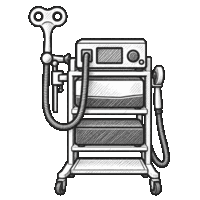
CloudTMS backup & sync
Our team helps connect patient and treatment data from your CloudTMS workstations. Follow the manual connection and history rollover steps from your dashboard.

Assessment collection during a course
Choose available patient assessments and schedule email or SMS delivery through enabled channels. Patients respond in their browser; your clinical team decides what to collect and when.
Review responses alongside treatment
Open patient responses and supported score trends alongside recorded TMS courses. Organization owners can export treatment-course reports for further review.
See what the course report contains
Choose the assessment and treatment columns needed for your report. Each row represents one treatment course, with recorded numeric scores near its start and end dates where available.
A configurable matching window selects responses by date. A start/end pair does not establish that the forms are comparable or show a treatment effect. Imported scores may lack individual answers or version details.
For assessment scheduling and review alone, explore the Practice plan. CloudTMS Provider adds the device connection and assisted rollover described here.
Treatment outcomes
Example patient · TMS course
- Start date
- Aug 3, 2026
- End date
- Sep 14, 2026
| Assessment | Start | End |
|---|---|---|
| PHQ-9 | 10 | 11 |
| GAD-7 | 8 | 7 |
We handle the rollover after you subscribe
Our team connects CloudTMS backup and sync, brings supported patient, treatment, and assessment history into Survey Doctor, and verifies the setup with you. This work includes manual coordination and is not instant.
- 1. Payment confirmed. Billing starts when Stripe confirms payment, and Survey Doctor opens your setup case.
- 2. Account review. We contact the email on your account and add a case-specific completion estimate to your dashboard.
- 3. Connection and rollover. We confirm the source account and history to import with you. Be ready to access each CloudTMS workstation involved in the connection.
- 4. Verification. You can follow each milestone in Survey Doctor. We complete setup after you verify the connected workflow.
Never send passwords or encryption keys by email. If the rollover uses encrypted files, we will arrange a secure way to configure the key. Questions can go to contact@survey.doctor.
- CloudTMS backup & data sync
- Scheduled assessments & TMS reports
- Up to 10 locations across 3 organizations
- Unlimited patients & responses
Pay securely with Stripe. Billing begins after payment, while our team completes the manual rollover and connection steps. You can track progress from your dashboard.